
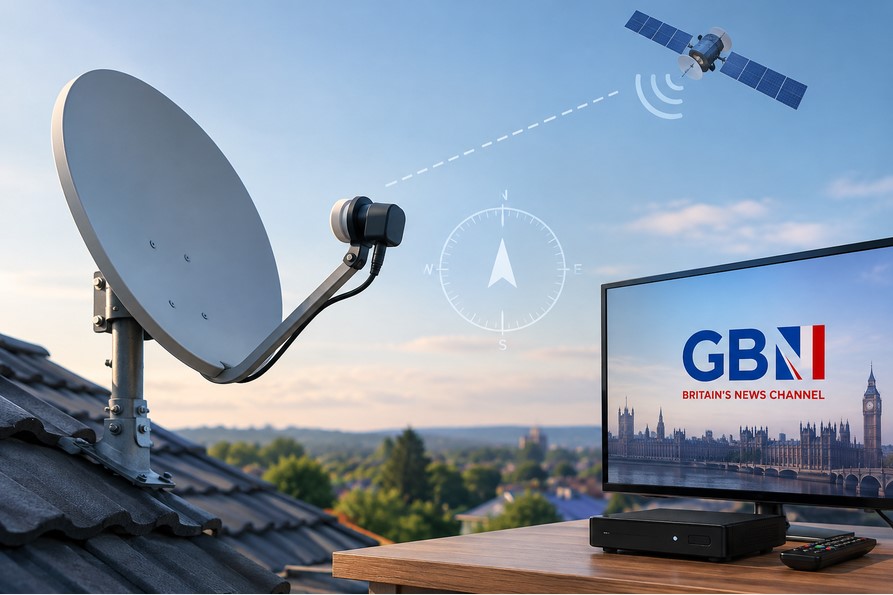



GB News has become a familiar name in British television, offering a mix of news, interviews, and opinion-led programming. For viewers who prefer not to rely solely on internet streaming, satellite reception provides a dependable alternative—especially in areas where broadband is inconsistent or data limits are a concern.
This guide focuses entirely on the practical side of receiving GB News via satellite. You will learn which satellite carries the channel, how to identify the correct orbital position, how to point your dish with the right azimuth and elevation, how to configure your receiver, and how to troubleshoot common signal problems. Whether you are setting up a dish for the first time or fine-tuning an existing installation, the steps below will help you acquire a stable GB News satellite signal.
What Is GB News?
GB News is a British news and current affairs channel that launched in 2021. Its programming includes rolling news coverage, political discussion, interviews, and debate-style shows. The channel positions itself as an alternative voice in UK news broadcasting and has expanded its reach through both traditional platforms and satellite distribution.
For satellite viewers, the key point is simple: GB News is available as a free-to-air channel on satellite, meaning no subscription is required to watch it. You only need the correct equipment and a properly aligned dish.
Can GB News Be Received via Satellite?
Satellite reception depends on three things: whether the channel is being uplinked to a satellite, whether that satellite’s signal reaches your location, and whether your dish and receiver can capture and decode the transmission.
GB News is broadcast from a satellite that serves the UK and parts of Europe. The channel’s availability is not universal—it depends on the satellite’s coverage footprint and the sensitivity of your receiving equipment. In simple terms, the satellite “sees” a certain area of the Earth, and if you are inside that area with a suitable dish, you can receive the signal.
It is also worth understanding the difference between a channel being broadcast and a channel being receivable. A satellite may carry a signal, but if your location falls outside the usable footprint, or if your dish is too small for the signal strength at your location, you will not get a reliable picture.
Which Satellite Carries GB News?
GB News is broadcast on Astra 2G, located at the 28.2°E orbital position. This satellite is part of the Astra fleet that serves the UK and European markets, and it is the same orbital slot used by many British channels.
The channel moved to Astra 2G from Astra 2F in late 2023, a change that significantly improved its coverage across Europe. The signal is carried on a European beam, which means it reaches well beyond the UK—viewers in parts of Spain, Italy, and other European countries can receive it with appropriately sized dishes.
Understanding the satellite’s orbital position is the first step in dish alignment. The 28.2°E position is a common target for UK-focused satellite equipment, so your receiver likely already has this satellite listed.
GB News Satellite Frequency and Reception Parameters
To tune GB News manually, you need the correct transponder parameters. These are the technical settings your receiver uses to locate and lock onto the signal.
The current parameters for GB News on Astra 2G are:
-
Frequency: 11,671 MHz (or 11671)
-
Polarization: Horizontal (H)
-
Symbol Rate: 23,000 (23.0 Msym/s)
-
FEC: 2/3
-
Modulation: DVB-S2, 8PSK
-
Video: MPEG-4, HD 1080
-
Service ID: 50241
Each parameter matters. The frequency tells your receiver which transponder to look at. Polarization determines the orientation of the signal—Horizontal and Vertical are the two options, and getting this wrong means no signal. Symbol rate and FEC relate to how the data is packaged and error-corrected. The DVB-S2 standard indicates the transmission type, which your receiver must support.
Satellite parameters can change over time. Broadcasters occasionally move channels to different transponders, adjust frequencies, or update modulation settings. Before tuning, it is always wise to verify the current parameters through a reliable source, as outdated settings will prevent your receiver from finding the channel.
How to Point a Satellite Dish Toward GB News
Dish alignment is the most hands-on part of satellite reception. The goal is to aim your dish at Astra 2G at 28.2°E with enough precision to lock onto the GB News transponder.
Step 1: Identify the orbital position. Astra 2G sits at 28.2 degrees East. This is a fixed point in the sky, but where it appears from your location depends on where you are.
Step 2: Determine the approximate azimuth. Azimuth is the compass direction—how far east or west you need to turn the dish. In the UK, this will generally be toward the southeast. From other parts of Europe, the direction changes.
Step 3: Set the elevation angle. Elevation is how high the dish points above the horizon. In southern parts of the UK, this is typically around 25 to 30 degrees, but it varies significantly by location.
Step 4: Adjust the LNB skew. The LNB (the device at the end of the dish arm) needs to be rotated slightly to match the signal’s polarization. This is a small adjustment but it can make a noticeable difference in signal quality.
Step 5: Use a satellite finder or your receiver’s signal meter. A basic satellite finder gives audible feedback as you get closer to the signal. Your receiver’s built-in signal meter can also work, though you will need someone to watch the screen while you adjust the dish.
Step 6: Make very small adjustments. Move the dish in tiny increments—horizontally and vertically. Satellite signals are narrow, and a few millimeters of movement can mean the difference between no signal and a perfect lock.
Step 7: Check signal quality, not just signal strength. Signal strength shows that your receiver sees something, but signal quality confirms that the data is clean enough to decode. Aim for the highest quality reading you can achieve.
Step 8: Tighten everything once locked. Once you have the strongest stable signal, tighten all bolts and recheck the signal. Movement during tightening can throw off a delicate alignment.
How to Calculate the Correct Dish Direction
The three key angles for dish alignment are azimuth, elevation, and LNB skew. These values are not the same everywhere—they change based on your latitude and longitude.
Azimuth is the horizontal direction, measured in degrees from North. For Astra 2G at 28.2°E, a viewer in London will have a different azimuth than a viewer in Glasgow or Madrid. Elevation is the vertical angle above the horizon—this increases as you move closer to the equator and decreases as you move farther away. LNB skew corrects for the curvature of the Earth and the angle at which the satellite signal arrives.
Several free tools and smartphone apps can calculate these values for your specific location. You enter your coordinates and the satellite position (28.2°E), and the tool provides the azimuth, elevation, and skew angles. This saves you from guesswork and gives you a solid starting point before you begin fine-tuning.
Recommended Dish Size
There is no single dish size that works for everyone. The right size depends on where you are, how strong the signal is at your location, and local weather conditions.
In the UK, a standard 45cm to 60cm dish is typically sufficient for Astra 2G, since the signal is strong over the British Isles. In parts of Europe that fall within the European beam’s coverage, a 60cm to 75cm dish may work well. Farther from the beam’s center, larger dishes—80cm or more—may be needed to maintain a reliable signal.
Weather also matters. In areas with frequent heavy rain, a slightly larger dish can provide extra margin against rain fade. A well-installed 80cm dish will outperform a poorly aligned 60cm dish in almost every situation.
LNB and Receiver Settings
Before you can tune GB News, your receiver needs to be configured correctly for your LNB and satellite setup.
LNB type and frequency. Most modern LNBs are universal, with a low band frequency of 9750 MHz and a high band frequency of 10600 MHz. Your receiver should be set to “Universal” unless you have a different type of LNB.
DiSEqC settings. If your dish is connected to a single satellite, DiSEqC can usually be left off or set to “None.” If you have multiple LNBs or a motorized system, you will need to assign the correct DiSEqC port for Astra 2G.
Transponder selection. In the receiver’s satellite setup menu, select Astra 2G or the 28.2°E position. If the pre-installed transponder list does not include 11,671 H, you will need to add it manually.
DVB-S/DVB-S2 options. GB News uses DVB-S2. Make sure your receiver is set to scan for DVB-S2 signals. If it only supports DVB-S, you will not find the channel in HD.
Network search and manual scanning. Some receivers offer a network search option, which can find all channels on a transponder automatically. For GB News specifically, a manual scan of the correct transponder is more direct and faster.
How to Add GB News Manually to a Satellite Receiver
Menu names vary between receiver brands, but the general sequence is similar.
First, open the installation or setup menu on your receiver. Select the satellite option and choose Astra 2G at 28.2°E. If this satellite is not listed, you may need to add it manually with its orbital position.
Next, find the manual transponder search or manual scan option. Enter the frequency 11671, polarization Horizontal, symbol rate 23000, and FEC 2/3. Set the modulation to DVB-S2 and 8PSK if your receiver asks.
Check the signal quality reading. If it is zero, your dish is not aligned correctly or the LNB settings are wrong. Once you see a strong quality reading, start the scan. The receiver will search the transponder and list the channels it finds. GB News should appear as “GB News” or “GB News HD.” Save it to your channel list.
How to Improve a Weak GB News Satellite Signal
If you can find GB News but the signal is weak or unstable, several practical fixes can help.
Fine-tune dish alignment. Even a millimeter of movement can improve signal quality. Make small adjustments while watching the signal meter.
Check the LNB position. The LNB should be seated correctly and the skew set appropriately for your location. A loose or misaligned LNB can degrade the signal.
Inspect coaxial cables. Damaged or low-quality cable can lose signal over distance. Check for kinks, cuts, or moisture ingress.
Check F-connectors. Loose or poorly fitted F-connectors are a common cause of signal loss. Make sure the center conductor is clean and the connector is tight.
Remove unnecessary cable joins. Every join introduces a small loss. If you can run a single cable from the LNB to the receiver, do so.
Check for dish movement. High winds can nudge a dish out of alignment. Inspect the mount and brackets for looseness.
Ensure there are no obstructions. Trees, buildings, or new construction can block the line of sight to the satellite.
Recheck DiSEqC configuration. If you have multiple satellites, an incorrect DiSEqC setting can prevent the receiver from switching to the right LNB.
Update the transponder list. Satellite parameters change. If GB News moved to a new frequency, your receiver’s outdated list will not find it.
It is important to understand that signal strength and signal quality are not the same. Strength is the raw power your receiver detects. Quality is a measure of how clean and decodable that signal is. A high strength with low quality usually means you are pointed at the wrong satellite or the signal is corrupted by interference or poor alignment.
GB News Satellite Reception Problems and Solutions
No Signal
If your receiver shows no signal at all, the dish may be misaligned, the LNB may be faulty, or the receiver may not be configured for the correct satellite. Verify the satellite selection, check all cable connections, and use a satellite finder to confirm you are pointing at 28.2°E.
GB News Not Found During Scanning
This usually means the transponder parameters are incorrect or the signal quality is too low to decode. Double-check the frequency, polarization, and symbol rate. Ensure your receiver is set to DVB-S2. If the parameters are correct but no channels appear, the dish alignment may need fine-tuning.
Signal Drops During Rain
Rain fade is a normal phenomenon in satellite reception. Heavy rain absorbs and scatters the signal, especially at higher frequencies. A larger dish provides more margin against rain fade, as does a well-aligned installation. If rain fade is frequent, consider upgrading your dish size.
Channel Works but Picture Breaks Up
Pixelation, freezing, and audio dropouts are signs of marginal signal quality. The dish may be slightly misaligned, the LNB skew may be off, or there may be interference from a nearby source. Check cables and connectors for damage, and try fine-tuning the dish alignment.
Signal Strength Is High but Signal Quality Is Low
This often happens when the dish is pointed at a different satellite that happens to be nearby, or when the LNB polarization is set incorrectly. The receiver sees strong energy but cannot decode the data. Verify that you are on Astra 2G at 28.2°E and that the LNB skew is correct.
GB News Disappeared From the Receiver
Satellite parameters and channel lineups can change. Broadcasters may move a channel to a new transponder or adjust frequency settings. If GB News was previously working and has vanished, perform a fresh manual scan using the current parameters. If the channel has moved, the old transponder will no longer carry it.
Can You Receive GB News in Other Countries?
Satellite reception beyond the UK depends on the satellite’s footprint and local conditions. Astra 2G’s European beam provides coverage across much of the continent, and viewers in parts of Spain, Italy, and other European countries have reported receiving GB News with dishes in the 60cm to 75cm range.
Reception in more distant locations requires larger dishes and precise installation. In some areas, the signal may be too weak for reliable reception regardless of dish size. Factors such as local terrain, buildings, and weather all play a role.
There is no single answer for every country. If you are outside the UK and want to receive GB News via satellite, the best approach is to check coverage maps for Astra 2G, use a dish size appropriate for your location, and be prepared for some trial and error during alignment.
Satellite Reception vs Internet Streaming
Both satellite and streaming have advantages depending on your situation.
Satellite reception does not depend on your internet connection. Once the dish is aligned and the receiver is set up, the signal is available as long as the satellite is broadcasting and weather conditions are reasonable. This makes satellite a practical option for rural areas or locations with unreliable broadband.
Internet streaming requires a stable connection with sufficient bandwidth. It is more flexible in terms of location—you can watch on a phone, tablet, or computer—but it is vulnerable to buffering, data caps, and outages. For viewers in areas with poor internet, satellite often provides a more consistent experience.
The best choice depends on your circumstances. If you have reliable internet and want flexibility, streaming may suit you. If you want a dedicated, always-on signal that does not compete with other household internet use, satellite is worth considering.
Frequently Asked Questions
Can I receive GB News with a satellite dish?
Yes. GB News is broadcast free-to-air on Astra 2G at 28.2°E. You need a suitable dish, a universal LNB, and a DVB-S2 compatible receiver.
Which satellite carries GB News?
GB News is carried on Astra 2G at the 28.2°E orbital position.
What dish direction is required?
The dish must point toward Astra 2G at 28.2°E. The exact azimuth and elevation depend on your location. In the UK, the dish generally faces southeast at an elevation of roughly 25 to 30 degrees.
How do I find the correct satellite?
Use a satellite finder or your receiver’s signal meter. Set the receiver to Astra 2G, enter the GB News transponder parameters, and slowly adjust the dish until you achieve the highest signal quality.
Why can my receiver not find GB News?
Common reasons include incorrect transponder parameters, outdated channel lists, wrong satellite selection, or poor signal quality. Verify the frequency, polarization, and symbol rate, and ensure your receiver supports DVB-S2.
What should I do if the signal is weak?
Fine-tune the dish alignment, check the LNB skew, inspect cables and connectors, and ensure there are no obstructions. A larger dish may be necessary in marginal coverage areas.
Does rain affect GB News satellite reception?
Yes. Heavy rain can cause signal fade, especially with smaller dishes. A larger dish and precise alignment reduce the impact of rain fade.
Do I need a large satellite dish?
Not necessarily. In the UK, a 45cm to 60cm dish is usually sufficient. In parts of Europe within the beam’s coverage, 60cm to 75cm may work. Farther from the beam center, larger dishes may be required.
Can I receive GB News outside the UK?
Possibly, depending on your location and the satellite’s coverage. Astra 2G’s European beam reaches well beyond the UK, but reception quality varies. Check coverage information and use an appropriately sized dish.
How often should I rescan the satellite?
There is no fixed schedule. If GB News disappears or you notice signal changes, perform a fresh scan. It is also wise to rescan after any reported changes to satellite parameters.